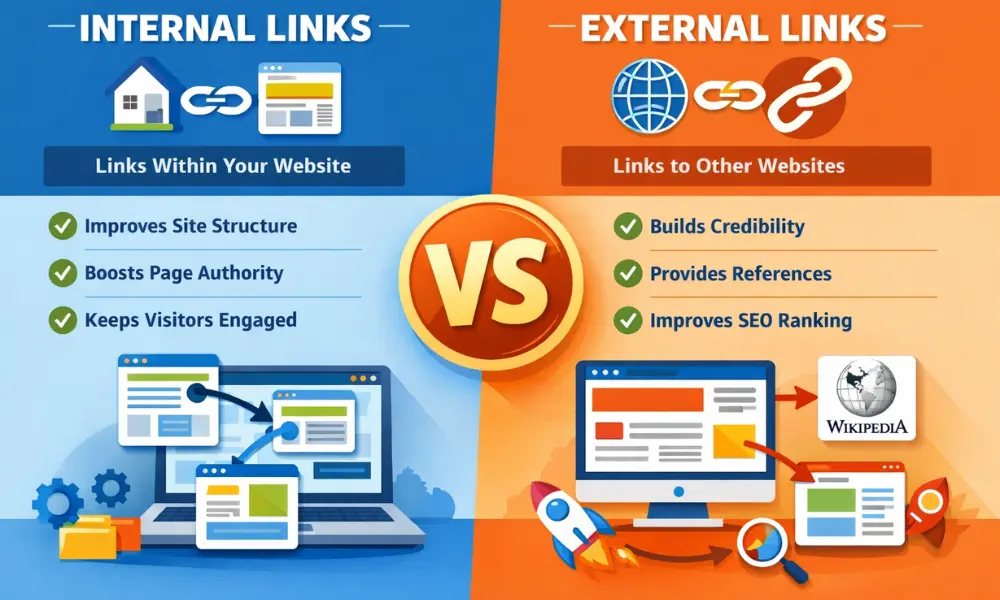
When you first step into the world of SEO, terms like internal linking and external linking might sound a bit technical. But in reality, they are simple, powerful tools that can make a huge difference in how your website performs on search engines.
At VCA Masterclass Digital Marketing Institute in Thrissur, students are often surprised to learn that something as basic as linking can directly impact website traffic, rankings, and user experience. Let’s break it down in a simple, humanised way so you truly understand the difference—and how to use both effectively.
What is Internal Linking?
Internal linking means connecting one page of your website to another page within the same website.
For example, if you have a blog about SEO basics and you link it to another blog on keyword research within your own site—that’s internal linking.
Think of it like guiding someone inside your own house. You’re showing them around, helping them explore different rooms (pages), and making sure they don’t get lost.
Why is Internal Linking Important?
Internal links are not just for navigation—they play a big role in SEO.
First, they help search engines understand your website structure. When search engines like Google crawl your website, internal links act like pathways that help them discover and index your pages.
Second, they improve user experience. If a visitor lands on one blog and finds helpful links to related topics, they are more likely to stay longer and explore more.
Third, internal linking distributes “link value” across your website. If one page is performing well, linking it to other pages can help boost their visibility too.
What is External Linking?
External linking is when you link your website to another website.
For example, if you mention a statistic and link it to a trusted source like a well-known blog or news website—that’s external linking.
In simple terms, it’s like referencing someone else’s work or recommending another place for more information.
Why is External Linking Important?
Many beginners think linking to other websites will take users away—but when done right, it actually builds trust.
External links show that your content is well-researched and credible. When you connect your content with authoritative sources, search engines see your website as more reliable.
It also improves user experience by providing additional value. If a reader wants deeper information, external links can guide them.
However, it’s important to link only to relevant and trustworthy websites. Poor-quality links can negatively affect your SEO.
Internal Linking vs External Linking – Key Differences
Let’s make it even clearer with a simple comparison:
- Definition:
Internal links connect pages within the same website, while external links connect to different websites. - Purpose:
Internal linking improves navigation and website structure. External linking builds credibility and provides additional information. - Control:
You have full control over internal links. External links depend on other websites. - SEO Impact:
Internal links help distribute ranking power within your site. External links improve trust and authority.
How to Use Internal Linking Effectively
If you want to master internal linking, here are some simple tips:
- Link to relevant pages only. Don’t force links where they don’t fit.
- Use meaningful anchor text (the clickable words). Instead of “click here,” use keywords.
- Make sure important pages get more internal links.
- Avoid too many links on one page—it can confuse readers.
At VCA Masterclass, students are trained to think strategically about internal linking rather than just adding links randomly.
How to Use External Linking Smartly
External linking also needs the right approach:
- Link only to trusted and high-quality websites.
- Make sure the link adds value to your content.
- Avoid linking to competitors unnecessarily.
- Regularly check if external links are still working (broken links can harm SEO).
When used correctly, external links show that your content is connected to a larger, credible information network.
Common Mistakes Students Make
Many beginners make simple mistakes when learning linking strategies:
- Adding too many links just for SEO
- Using irrelevant anchor text
- Ignoring internal links completely
- Linking to low-quality or spammy websites
These mistakes can reduce the effectiveness of your SEO efforts. That’s why practical training is important—to understand not just what to do, but how to do it right.
Why Learning Linking is Important for Your Career
In digital marketing, small details often make a big impact. Internal and external linking might seem basic, but they are essential skills for roles like SEO specialist, content marketer, and website strategist.
Companies look for professionals who understand how to optimise content not just for search engines, but also for users.
At VCA Masterclass Digital Marketing Institute in Thrissur, students get hands-on experience in real projects, where they learn how to implement linking strategies effectively—not just in theory, but in real-world scenarios.
Final Thoughts
Internal linking and external linking are like two sides of the same coin. One strengthens your website from within, while the other connects it to the outside world.
If you use internal links wisely, you create a smooth journey for your visitors. If you use external links smartly, you build trust and authority.
The key is balance. Don’t overuse or ignore either one—use them with purpose.
Once you understand this, you’ll realise that SEO is not just about keywords or rankings. It’s about creating a meaningful, connected experience for your audience.
And that’s exactly what good digital marketing is all about.